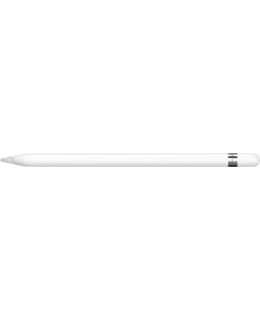
Apple Pencil brings new dimensions to the power of iPad Pro and opens up more opportunities for creativity. It senses pressure and tilt angle, so you can draw different line thicknesses, create subtle shading and produce a variety of artistic effects - just like a regular pen, but with pixel precision.
- Fast as a thought
Apple Pencil's lightning-fast responsiveness sets it apart from other creative tools. This is because the latency - the very small delay between when you start drawing and when the drawing appears on the screen - is now barely noticeable. iPad Pro knows whether you're using your finger or the Apple Pencil. When the iPad Pro detects the Apple Pencil, the subsystem reads its signal at a whopping 240 times per second. In this way, it sends twice as many data points compared to the data collected when drawing with a finger. When this data is combined with software designed by Apple, there are only milliseconds between the image conjured up in your mind and the image on the screen. - Vary the strength of the line by adjusting the pressure
The thin shell of the pen hides finely structured, precise pressure sensors that can measure a wide range of intensities. A carefully aligned sensor determines exactly how hard the tip of the Apple Pencil is pressed down. Draw thick lines by pressing harder. Or create thin streams with a light touch. The range of creative effects is practically unlimited. So you can work without limits. - Tilt your hand for more shading
Two tilt angle sensors built into the tip of the Apple Pencil calculate the exact direction and angle of your hand. When you write or draw, the Multi-Touch screen detects the position of both sensors in relation to each other. So you can create shading effects just by tilting the Apple Pencil, just like you would a charcoal or traditional pencil. - 12-hour battery
Removing the Apple Pencil's magnetic plug reveals the Lightning connector, which is used to charge the Apple Pencil by connecting it to the iPad Pro. The connector is slightly extended, so charging is possible even when the iPad Pro is in its silicone case. With a full charge, you get 12 hours of time for writing, sketching, marking and editing. If the Apple Pencil runs out of battery during use, you can charge it for 15 seconds from the iPad Pro and get 30 minutes of use time. - Package contents: Pen tip, Flash adapter
- Designed for models: 12.9-inch iPad Pro; 9.7-inch iPad Pro