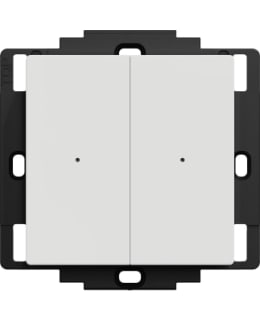
Wireless buttons can be used to control all other Wiser devices in the home, either directly or through ready-made situations. The 2-part button has four channels, so four different functions or situations can be defined for it with the Wiser application. The buttons can be positioned freely, as they do not require a device box at all.
Usage examples- 1: The two-part composite frame in the living room can be replaced with a 3-part one and a wireless button can be placed in the extra opening without a device box.
- Four different situations can be set for this button:
- 1) "Movie night"
- 2) “Dinner”
- 3) "Reading time" and
- 4) "All lights off"
- Situations control, for example, lighting, curtains and other Wiser devices.
- 2: If cabling cannot be done for one reason or another, wireless buttons can still be attached to all kinds of surfaces to control the lighting.
- In this case, a Wiser module with relay (2622124) or controller (2622120) must be installed as receivers in the ceiling boxes.
Characteristics- The functions of the buttons are freely selectable
- Range in an open indoor space 100m, if the indoor space has concrete partitions, the range drops to 25 meters
- The device should not be installed directly on a metal surface, as it may interfere with the signal
- Can be connected to other Wiser products even without a phone app and central unit
Technical information- Signal transmission: Radio
- Number of channels: 2
- One channel in each button
- Suitable as a switch
- Indoor range with direct line of sight: Up to 100 m
- Indoors with concrete walls: Up to 25 m
- Operating voltage 3 V DC, 1 lithium button cell battery CR 2032, battery life up to 5 years (may vary depending on use, number of software updates and environment)
- Surface mounting
- IP class: IP20, for indoor use
- Certification: Zigbee 3.0
The package contains- Handle
- 1 battery
- Double-sided tapes
- Duct tape